


Live Primavera P6 Training for Project Planning & Controls
Develop practical project planning and project controls skills through live online training with Madan Maharana. Use Primavera P6 to build baseline schedules, plan resources and costs, update progress, and interpret performance—connecting software techniques with project management decisions.
⭐ 5/5 Google Rating | 240+ Google 5-star reviews | 500+ Professionals Trained
Delivering Primavera training since 2007, grounded in practical project planning experience.
Meet Your Mentor – Mr. Madan Maharana
Founder of Wiznic World and creator of the Logic-Based Management Framework (LBMF), Mr. Madan Maharana brings 27+ years of project and portfolio management experience. His approach connects Primavera P6 techniques with practical planning, resource, cost, and project control decisions. Discuss Your Training Schedule: Contact us to discuss available batches and a schedule that fits your professional commitments.


Sr. Project Planning, Scheduling Consultant & Corporate Trainer
Have Queries? Ask our Experts

Highlights


Madan Maharana
Sr. project Planning
With over 27 years of professional experience, Mr. Madan Maharana brings a rare blend of field execution, corporate planning, and advanced scheduling expertise.
He has been conducting Primavera P6 training since 2007 , alongside leading real industrial projects in Steel Plants, Highways, Oil & Gas, and Infrastructure sectors.
"My mission is to make every engineer capable of converting project logic into reality — not just managing software."
— Madan Maharana, Founder COO, Wiznic World
Primavera P6 | Project Planning | Project Controls
 Explore LBMF Theory & Application
📍 Learn directly from live project data, BOQ, and estimation cases.
💼 Personalized guidance for engineers, planners, and cost controllers.
Core Competencies Include:
- Complete Primavera P6 Professional Training
- Practical Industry Planning Concepts
- Quantity Estimation & Cost Forecasting
- BOQ Preparation (as per CPWD) & Weightage Calculation
- Tender Preparation, RFP/RFQ Documentation
- Contract Management & Billing Control
- Earned Value & Project Cost Monitoring
- Project Finance & Resource Management
- Quality & SHE (Safety, Health, Environment) Supervision
- Project Risk Management & Delay Analysis
- Corporate-Style MIS & S-Curve Development
- Project Control & Monitoring – Industry Practice
- Implementation of PMI Concepts in Construction
- Exposure to Gulf & Overseas Projects
- Manpower & Equipment Estimation (as per CPWD/ISO SOR)
- Assistance on Real Industrial Projects for Learners
- Logic-Based Management Framework (LBMF)
Industry Guest Faculty – Mr. Chidananda Beura (PMP)
Senior Civil Engineer | Project Management Professional (PMP) | Roads & Infrastructure Expert
With over 29 years of professional experience , Mr. Chidananda Beura has led major Highway, Bridge, and Infrastructure projects across India and abroad. His expertise lies in cost control, field execution, and practical project coordination, bridging real-site challenges with management principles.
As part of Wiznic World’s LBMF Industry Series, he conducts exclusive sessions on project cost control, resource optimization, and field-based problem solving, helping learners understand how planning decisions translate into on-site performance.
Project Control
- Core Expertise
- Project Cost Control & Budget Management
- Quantity & Material Reconciliation Methods
- BOQ Preparation & Tender Documentation (CPWD & NHAI Standards)
- Field Execution Supervision & Progress Measurement
- Contractor & Client Billing Procedures
- Delay and Claim Management (Extension of Time & Cost Impact)
- Safety, Quality & Compliance Monitoring
- Risk Identification and Corrective Action Planning
- Cost Forecasting and Variance Analysis Techniques
- Integration of Field Practices with Primavera and LBMF Logic

Mr. Chidananda Beura (PMP)
29+ Years Experience | Roads & Infrastructure | PMP Certified Former GM - Civil & Structures, Balasore Alloys Ltd. Build planning judgement alongside software skills. Understand why a schedule works, how progress is measured, and when corrective action is needed.
Primavera P6 Course Overview
Advanced Project Controls Masterclass | Primavera P6 + LBMF
Wiznic World provides project planning and controls training for working professionals, combining Primavera P6 application with the Logic-Based Management Framework (LBMF). Led by Madan Maharana, with 27+ years of project experience, the programme connects scope, BOQs and execution sequences with schedules, resources, progress measurement, reporting and recovery decisions.
Who is this programme for?
Working planning and scheduling engineers, project controls professionals, site engineers, project managers, and contracts and procurement professionals.
How is the training delivered?
Recorded Primavera P6 software lessons are combined with live mentor-led concept sessions, real-project examples, assignments, discussions and Q&A.
How does LBMF support practical planning?
LBMF connects project thinking with software application: understanding the work, building activity logic, interpreting progress and using schedule information to support project decisions.
Course outline
12 core modules + 3 supplementary modules
01 Project & Planning Foundations
- Project management fundamentals
- Planning vs scheduling
- Project lifecycle and initiation
- Scope definition and WBS
- Contract types and BOQ/MTO
- Project calendars and setup
02 Primavera P6 Environment
- PPM vs EPPM overview
- Project creation and preferences
- User preferences and basic settings
- Calendars and multiple projects
- Activity IDs and coding structure
- What-if and reflection projects
03 Logic & Scheduling
- Activity definition and loading
- Relationships and dependencies
- Network logic development
- Early and late dates
- Critical and near-critical paths
- Float, time scale and schedule impact
04 Schedule Development & Control
- Activity duration estimation
- Milestones and constraints
- Critical and near-critical paths
- Float and time-scale analysis
- Schedule quality checks
05 Layouts, Filters & Reporting
- Professional layouts and filters
- Look-ahead planning
- Activity codes and grouping
- Import and export management
- Global change and dashboards
06 Cost, Cash Flow & Resources
- Roles, resources and estimation
- Man-hours and efficiency
- Cost accounts and expenses
- S-curves and histograms
- Material reconciliation
07 Resource & Cost Loading
- Roles vs resources
- Resource and cost assignments
- Duration types and productivity
- Resource curves and histograms
- Overtime and cost accounts
08 Progress, EVM & Performance
- Baseline development
- Progress tracking and updating
- Percentage-complete types
- Earned Value Management
- KPIs and performance reporting
09 Delay, Recovery & Claims
- Schedule compression techniques
- Resource levelling
- Delay identification and analysis
- Recovery planning
- EOT, claims and LD clauses
10 Procurement & SCM Integration
- Procurement planning and monitoring
- Long-lead item scheduling
- Engineering and vendor integration
- Manufacturing and delivery milestones
- Material requirement planning
11 Reporting, KPIs & Dashboards
- Look-ahead and progress reports
- DPR, WPR and MPR systems
- S-curves and performance trends
- EVM and project KPIs
- Management dashboards and MIS
12 Real Project Application
- Build schedules from scope and BOQ
- Integrate engineering, procurement and construction
- Review and correct planning errors
- Apply recovery and delay scenarios
- Post-training mentor guidance
Explore the programme or keep the full syllabus
8 pages | 4.4 MB | PDF opens in a new tab; save a copy from the PDF viewer.
Supplementary modules may vary with batch progress and learning requirements.
-
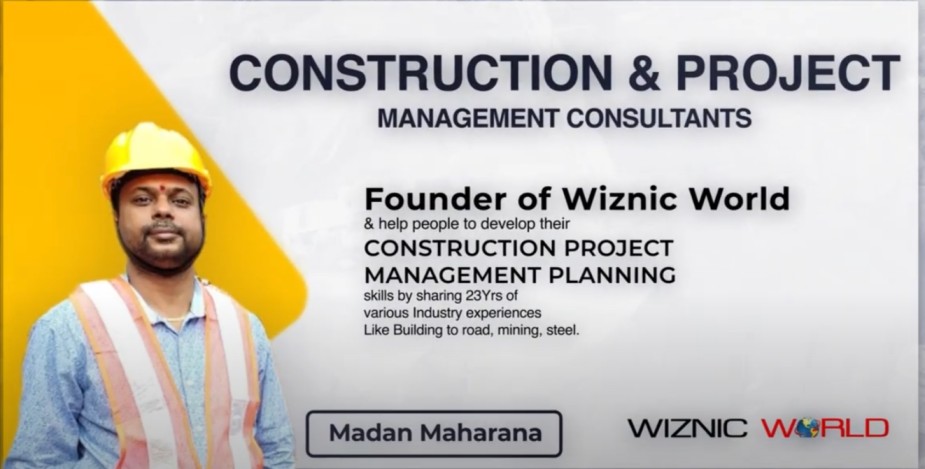
Primavera P6 Consulting and Training:…
Do you need to learn how to prepare a schedule, or does your project…
-
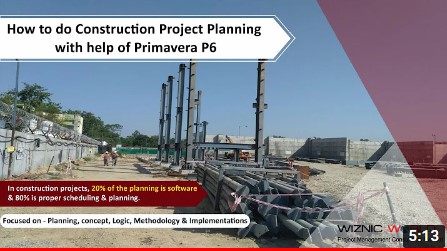
Construction Project Planning with Primavera…
A construction schedule should describe how the project will be delivered, not simply list dates…
-
Be a Primavera P6 Scheduler,…
A scheduler must explain why a plan is workable. Knowing which buttons to press in…
-

Wiznic World Learner Success Story
Watch the original recording above to hear directly from the learner in this recording.…
-

Wiznic World Learner Success Story…
Watch the original recording above to hear directly from the learner in this recording.…
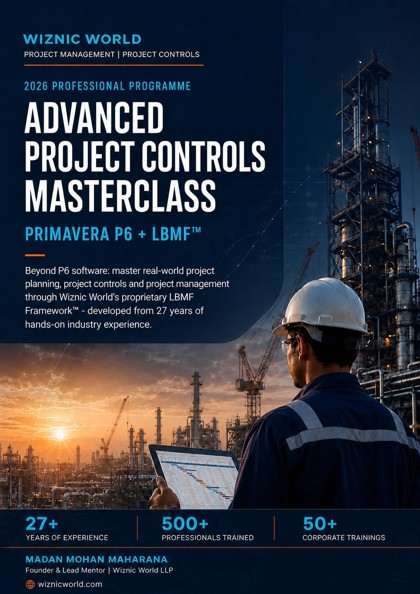
Primavera P6 Course Details & Batch Enquiries
Participants who successfully complete the training and required practical assignments receive a course completion certificate issued by Wiznic World.Upcoming Live Online Classes
Confirm Your Training Plan
Contact us to confirm instructor-led hours, practice requirements, course duration, and session timings for your chosen batch.
| Course Detail | What to Confirm | Next Step |
|---|---|---|
| Live Online Training | Next available start date | Contact the training team |
| Duration & Practice | Teaching hours, practice hours, and weeks | Request the course plan |
| Session Schedule | Days, times, and time zone | Confirm before booking |
| Course Fees | Price, taxes, and payment terms | Request a quotation |
| Software & Support | Version, access requirements, and support scope | Discuss your requirements |




Live Virtual Training
Join live online sessions with demonstrations, practical exercises, and opportunities to ask questions. Discuss your preferred timings and the available training format before booking.
- Live Demonstration of distinctive features and practical sessions
- Schedule your session at your comfortable timings.
- Instructor-led training with practical lab sessions
- Discussions on case studies for the Real-time projects
Hands on Primavera P6 Training Projects

Discuss Your Learning Goals
With the Wiznic World Team
Learn at Home with Wiznic World
Practical, Instructor-Led Learning
Join live online sessions with demonstrations, practical exercises, and opportunities to ask questions. Discuss your preferred timings and the available training format before booking.

For Business













Be ready with unique skills before the industry adopts the key technology.
Corporate Training
- Adopt the mode that best suits your possible convenience, time, and budget from Self-Paced, Live Instructor-led Online, or Classroom modes.
- Engage in the complete practical demonstration, lively discussions, and exercises based on practical case studies
- Have a convenient schedule as per your flexible work schedule and time zone
- Got exposure to industry insights during the training delivered by industry experts
- Customize the course needs as per your project and business requirement
- Gain complete guidance on handling the Live-Projects
Reviews

Vishal
It was a very good decision to join the Wiznic world for the course of Primavera. Specially Thanks to Madan sir, who taught me and explain the things very beautifully. Madan Sir, no one can beat you in the field…
Regards
Vishal
.


Ramkrishna
Planning is a very crucial part of the project management process. Primavera P6 is a widely used tool for planning across the globe. So if you are really eager to learn primavera and to advance your career in the field…
Regards
Ramkrishna
.


Sumit Swarup Sarkar
My sincere gratitude to Mr Madan Maharana Sir for providing the best Project Management with Primavera training. It was an excellent training & I can say that Mr Madan Sir one of the best Professional expert in India. He having…
Regards
Sumit Swarup Sarkar
.



Speak with our experts



Corporate Primavera P6 Training & Group Enrolment
Discuss your team size, project requirements, and learning objectives with us. Ask for a tailored training scope, schedule, and group quotation.

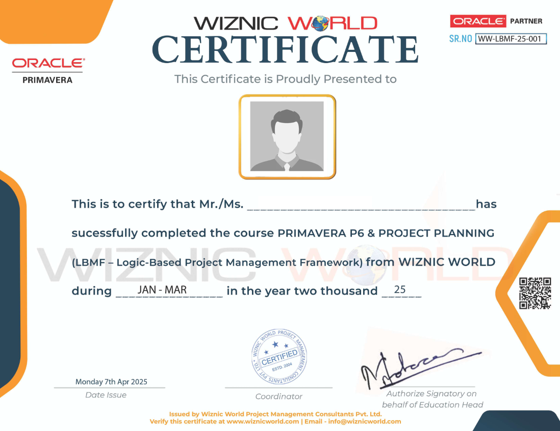
Wiznic World Course Completion Certificate
Participants who successfully complete the training and required practical assignments receive a course completion certificate issued by Wiznic World.
The certificate records completion of Wiznic World training. Contact us for the assessment requirements and a sample certificate before enrolling.
Complete your course
A PDF course completion certificate is sent to your registered email after you meet the completion requirements.Course Completion
Complete the training and required practical assignments to receive your Wiznic World course completion certificate.Practical Primavera P6 Exercises & Learning Outcomes
| Planning Area | Practical Exercise | Learning Outcome |
|---|---|---|
| Project Setup | Create a project and configure calendars | Understand project settings and working time |
| Work Breakdown Structure | Organize scope into a WBS | Build a clear structure for planning |
| Activities & Logic | Define activities and relationships | Connect task sequences with project requirements |
| Critical Path | Review float, constraints, and driving activities | Interpret the factors controlling planned completion |
| Resources | Assign resources to activities | Understand resource demand and availability |
| Baseline | Establish a reference schedule | Compare later performance with the agreed plan |
| Progress Updates | Enter progress and review remaining work | Understand the effect of updates on the schedule |
| Cost & Earned Value | Discuss cost and performance information | Relate schedule data to project control concepts |
| Reports | Prepare schedule and resource outputs | Communicate planning information clearly |
| Schedule Review | Check logic, assumptions, and constraints | Identify issues that need planning judgement |
| Project Application | Discuss an industry planning scenario | Connect software outputs with practical decisions |
Looking for more information on Primavera Training?


Frequently asked questions
What experience and equipment do I need before joining?
A basic understanding of project work, a suitable computer and reliable internet will help you follow the exercises. Spreadsheet familiarity is useful for reporting. Share your current role and planning experience with the trainer so you can confirm prerequisites and whether the course fits your learning goals.
Which Primavera P6 product is taught, and is software access included?
The published curriculum covers Primavera P6 Professional. Confirm the version, computer requirements, installation arrangements and licensing with the training team before enrolling. Check whether software access is included in your chosen package before purchasing or installing anything.
What are the course duration and session timings?
Contact the training team for the next available batch, live teaching hours, expected practice time and overall duration. Confirm session days, timings and time zone before booking so that the programme fits your work commitments.
What are the fees and payment terms?
Request a quotation for your selected training format. Confirm the total fee, applicable taxes, payment terms and what is included before enrolling. For a company team, share the group size and learning requirements to request a tailored quotation.
What practical work will I do during the course?
Practical work connects project scope and BOQs with activity logic, baseline schedules, resources, progress updates and reporting. The syllabus also covers earned value, recovery planning and procurement integration. Ask which project examples, exercise files, assignments and feedback activities are included in your batch.
Who issues the course completion certificate?
Wiznic World issues a course completion certificate after you complete the training and required practical assignments. It records completion of Wiznic World training. Ask the team for the assessment requirements and a sample certificate before enrolling.
What support is available during and after the training?
The programme includes discussion and Q&A as part of the learning format. Before enrolling, confirm how to raise questions, how assignment feedback is provided, and the scope and duration of any post-training support included in your package.
Can I join if I already use Microsoft Project?
Yes. Share your Microsoft Project and scheduling experience with the trainer to discuss how the course can build on your existing planning knowledge. Primavera P6 has its own workflows, so confirm which exercises will help you transfer your skills.
Where can I see the complete syllabus?
Open the complete Advanced Project Controls Masterclass syllabus (PDF) for the 12 core modules and three supplementary modules. The eight-page PDF opens in a new tab. Supplementary modules may vary with batch progress and learning requirements.
How do I enquire or enrol?
Contact the Wiznic World training team with your current role, industry, planning experience and preferred schedule. Confirm the course scope, prerequisites, batch availability, fees and software arrangements before booking. You can also call +91 9437202923.


